
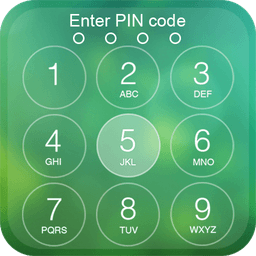
Screenshots
About Keypad lock screen
Keypad lock screen transforms your Android device into a fortress of privacy with password-protected security that keeps unauthorized users at bay. Unlike standard unlock methods, this app combines elegant design with military-grade protection, ensuring your personal data stays yours alone.
Take command of your phone's security with a customizable numeric passcode—up to 6 characters—that blocks access to all critical functions. The app disables HOME, MENU, and BACK keys, preventing any workaround attempts. Every unlock requires the correct code, making it virtually impossible for someone to slip past your defenses. You'll enjoy peace of mind knowing your device, messages, and calls are protected behind an impenetrable barrier.
Your lock screen becomes a personalized information hub. Monitor your device status at a glance—check network connectivity, WiFi signal, and battery level without unlocking. The app displays unread SMS and missed call counters directly on the screen, so you never miss important notifications. Choose from multiple HD wallpapers or upload your own images from your gallery to create a lock screen that reflects your style.
Designed for efficiency, Keypad lock screen consumes minimal memory and battery power, keeping your phone running smoothly. The clean, intuitive interface makes navigation effortless—just slide to unlock and enter your passcode. Personalize the experience further by changing the "slide to unlock" text and adjusting the date/time color to match your aesthetic.
Experience premium protection without compromising performance. Keypad lock screen delivers the security and customization you deserve.
Pros & Cons
Pros
- Customizable numeric passcode up to 6 characters blocks unauthorized access
- Displays battery, WiFi signal, and unread message counts without unlocking
- Disables HOME, MENU, and BACK keys to prevent bypass attempts
- Supports custom wallpapers and personalized lock screen text
Cons
- Numeric-only passcodes are less secure than alphanumeric or pattern options
- Disabling device buttons may prevent emergency calls or quick access
- No mention of recovery options if passcode is forgotten
- Requests device admin or system-level permissions to override standard unlock
Frequently asked questions about Keypad lock screen
Is Keypad lock screen safe to download?
A malware scan report for this version of Keypad lock screen is not available on Unstore yet. Only install files from sources you trust and keep your device's security protection turned on.
What are the system requirements for Keypad lock screen?
Keypad lock screen runs on Android. It requires Android 4.3 (Jelly Bean) or later. The download size is 7.0 MB.
What is the latest version of Keypad lock screen?
The latest version of Keypad lock screen on Unstore is 3.2.7. It was last updated on May 22, 2026.
Who develops Keypad lock screen?
Keypad lock screen is developed by kunkun apps.
Related Apps

AlienGUIse
Desktop themes and manager for Windows — transform your system with 5 futuristic designs.

SharpKeys
Remap keyboard keys to launch apps, media controls, and custom commands on Windows.

RocketDock
Desktop launcher for Windows — quick access dock with customizable icons and positioning.

Custom Resolution Utility (CRU)
Display resolution utility: Create custom resolutions for your monitor with precise refresh rate control.

Lagguy Wallpapers
Lagguy
4K & HD wallpapers for Android — minimal, abstract, nature, AMOLED designs with lifetime access

Lock Screen OS
Apps Genz
Customize your lock screen with widgets, photos, and notifications. Replace Android's default lock screen.
Latest Articles

Play a free Color Ball Sort Puzzle-style game in your browser (no download)
Oct 6, 2026

Play a free Beach Buggy Racing-style kart racer in your browser (no download)
Oct 6, 2026

Play a free Alto's Adventure-style game in your browser (no download)
Oct 6, 2026

Free online whiteboard like Jamboard: use Quickboard in your browser, no signup
Oct 6, 2026

Free online running pace calculator: splits, race predictor and daily challenge, no download
Oct 6, 2026